
Sales-driven sorting
Rank products by units sold, order count, gross revenue, or GA4 page views and add-to-cart events over a window you choose, anywhere from 1 to 60 days.
Best Seller Sync for Shopify
Every collection stays sorted by real sales performance, so your best sellers always land where buyers look first.
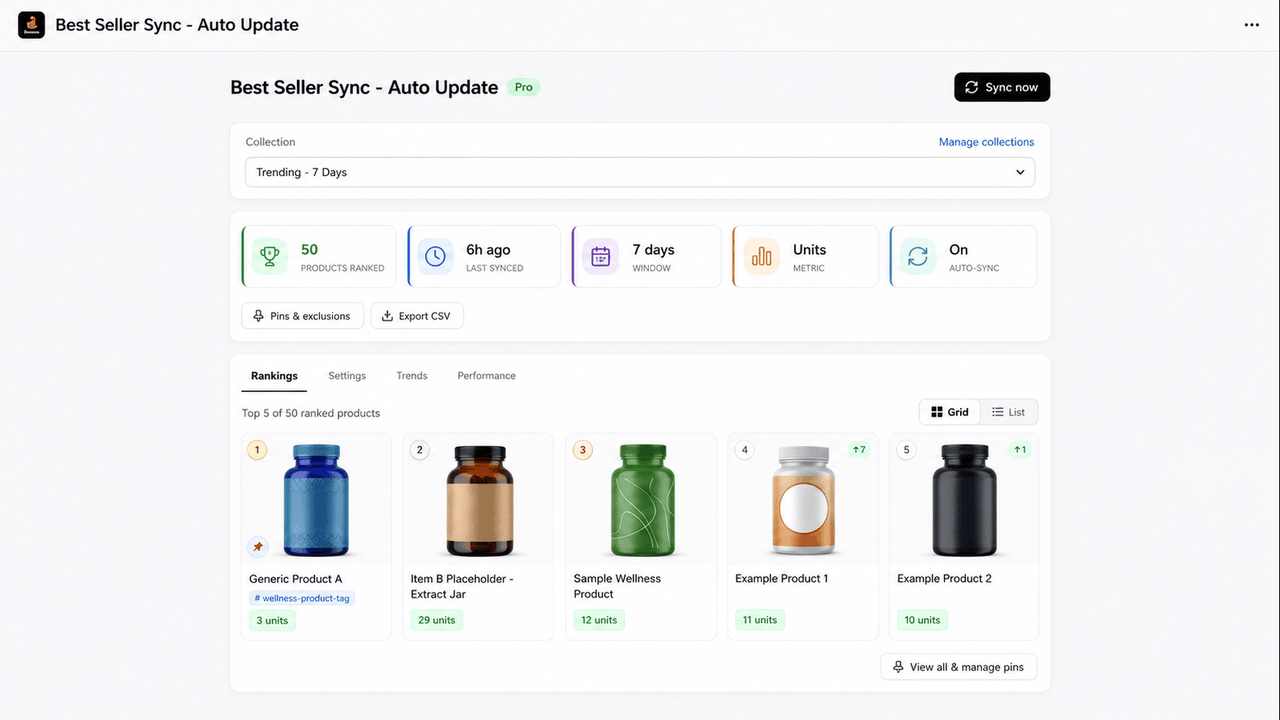
No spreadsheets, no manual drag-and-drop. Set the rules once and every collection keeps itself in order.
Install the app, pick the collections you want ranked, and choose a sales window and metric.
We read your real order data, and GA4 engagement if you connect it, to score every product by what sells.
Collections reorder automatically on a schedule. Best sellers get tagged and product metafields stay up to date.
Rank products by units sold, order count, gross revenue, or GA4 page views and add-to-cart events over a window you choose, anywhere from 1 to 60 days.
Collections reorder on a schedule with no manual work. Products are reordered in Shopify, tagged badge:best-seller, and written to metafields for storefront display.
Pin hero products to the top regardless of sales rank, or exclude products you never want reordered. Timed pins schedule promotions in advance.
Connect your GA4 property to rank by storefront engagement, page views or add-to-cart events, not just backend order data. Pro plan.
Every product gets a performance grade (A, B, or C) and a percentile score, so you can spot top performers and slow movers at a glance.
Browse the last 30 sync snapshots per collection. Export ranking data as CSV for reporting or deeper analysis.
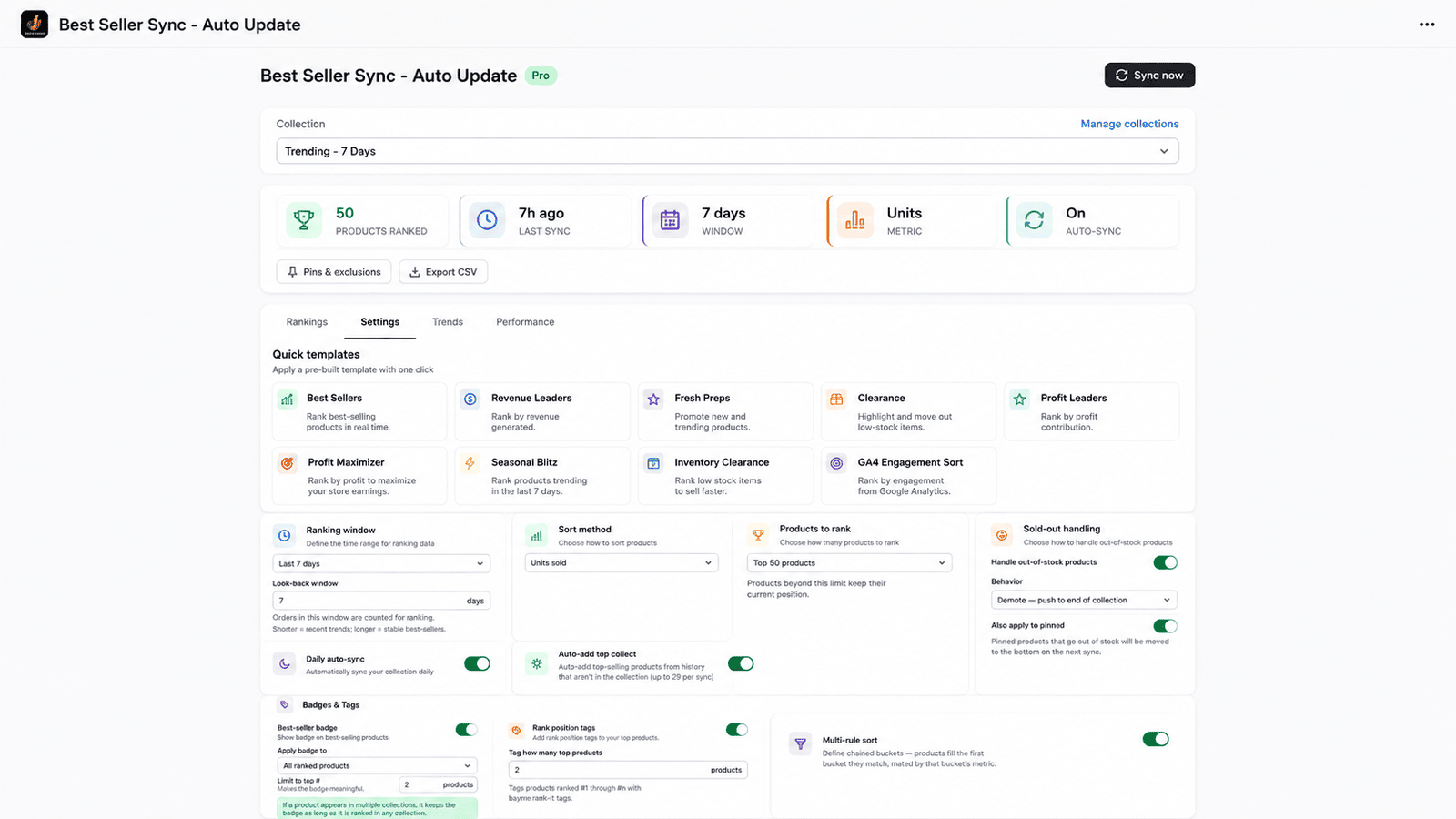
Quick-start templates, custom ranking windows, pins, exclusions, sold-out handling, and multi-rule bucket sort. Configure a collection in minutes.
Yes. Shopify only lets apps control product order when a collection’s sort is set to Manually. Best Seller Sync switches this for you automatically when you enable a collection, then keeps the order synced to real sales.
No. Products are reordered, tagged, and written to metafields through Shopify’s admin API, so theme files are never modified. The optional storefront badge widget is a standard app block you add (and remove) from the theme editor.
You choose per collection on paid plans: keep them ranked by sales, push them to the bottom, exclude them from the ranked order, or just tag them. You can also automatically unpin products that go out of stock.
Your collections keep their last order, so nothing breaks or reverts. The badge:best-seller product tags remain and can be bulk-removed in Shopify admin if you no longer want them. Stored data is deleted per our Privacy Policy.
Pro ($14/mo). Free ranks one collection by units sold over a fixed 7-day window; Starter adds revenue and order-count metrics with a custom 1-60 day window across five collections.
Free plan to start. Upgrade when your catalog grows.
Best Seller Sync only reorders and tags products inside the collections you choose. Nothing else in your store is touched.
Install on Shopify